More and more employers are conducting job interviews remotely via Zoom, Google Meet, or Microsoft Teams. This is a massive opportunity: you can now pitch yourself to companies in other cities—or even across borders—without spending money on travel.
However, remote interviews come with their own pitfalls: dropped connections, crackling microphones, messy backgrounds, and awkward eye contact. Here is how to eliminate technical friction and make an unforgettable first impression.
The Day Before: Lock In Your Tech Setup
Test your hardware and software
- Download the required software (Zoom, Teams) in advance, or ensure the meeting link launches smoothly in your browser.
- Run a dry test with a friend to verify video clarity, audio levels, and microphone quality.
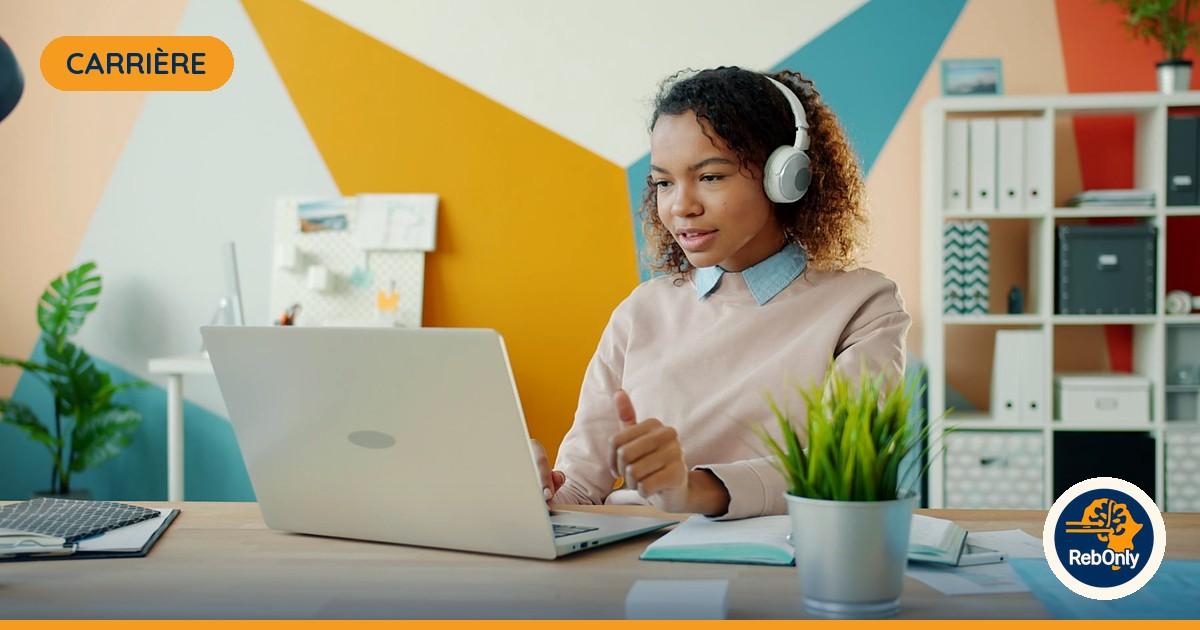
- Use wired earphones with an inline mic or a headset: the sound quality is markedly better, and it prevents audio feedback loops.
- Fully charge your laptop and smartphone, and keep your chargers plugged in or within arm's reach.
Secure a resilient internet connection
- Identify the spot with the strongest, most stable Wi-Fi or mobile signal.
- Ensure you have a sufficient data plan: live video conferencing consumes high bandwidth.
- Prepare a Plan B: have a smartphone ready with active mobile hotspot tethering, along with the interviewer's contact number to notify them in case of disruption.
- Plan for power cuts: keep battery packs charged and backup devices on standby.
Interview Day: Polish Your Frame and Environment
- Choose a clean, distraction-free background: a plain wall or an orderly workspace works best. Avoid unmade beds or high-traffic hallways behind you. A clean blurred or neutral virtual background can serve as a reliable backup.
- Position your lighting from the front: face a window or position a desk lamp directly behind your camera. Never sit with your back to a bright light source, as it casts your face into deep shadow.
- Elevate your camera to eye level: prop your laptop up on a stack of books or a stand. Looking down into a laptop camera creates an unflattering and disengaging angle.
- Minimize noise: inform housemates or family, move away from street noise, turn off appliances, and set your phone to silent mode.
Your Attire and Body Language
- Dress completely professional from head to toe: you might need to stand up unexpectedly, and dressing the part puts you into an executive mindset.
- Look directly into the camera lens when speaking, rather than at your own self-view on the monitor. This is what creates genuine virtual eye contact with the interviewer.
- Sit up straight, relax your shoulders, and smile naturally.
- Pace your speech and articulate clearly: internet latency can cause brief micro-delays in audio transmission.
- Demonstrate active listening: nod subtly and use thoughtful facial expressions to signal engagement.
Virtual Meeting Etiquette
- Log in 5 minutes early.
- Use a professional screen display name: your official first and last name, never an informal nickname.
- Mute your mic only when necessary if your surroundings become suddenly noisy while the interviewer is speaking, and remember to unmute before answering.
- Avoid reading scripts: keeping a few concise bullet points on a sticky note near your webcam is helpful, but reciting text sounds robotic.
- Avoid glancing at your phone, checking notifications, or browsing other browser tabs.
What to Do if Your Connection Drops
Stay calm: connection hiccups happen, and experienced hiring managers understand. Attempt to reconnect immediately using the original link. If the issue persists, immediately send a brief message to the recruiter (via email or WhatsApp) explaining the situation and offering to continue the interview via phone call. Handling an unexpected disruption with calm composure can actually turn into a compelling demonstration of your problem-solving skills.
Do Not Forget Core Interview Fundamentals
Impeccable tech setup cannot replace thorough preparation: research the target company, refine your self-introduction (the Present-Past-Future framework works exceptionally well), anticipate behavioral questions, and prepare 2 to 3 insightful questions to ask the hiring manager.
After the Interview
Send a concise, professional thank-you email within 24 hours, reiterating your enthusiastic interest in the role and referencing a specific takeaway from your discussion. Surprisingly few candidates take this step, making it an easy way to stand out.
📌 Key Takeaways
To succeed in a virtual interview: test your audio and video equipment early, secure an alternate connectivity plan, refine your lighting and camera angle, dress professionally, maintain camera eye contact, and stay poised if tech glitches occur. Eliminating technical friction allows you to channel 100% of your energy into what truly matters: demonstrating your value.
Ready to master high-stakes professional interviews and accelerate your career? Explore RebOnly courses today.